
Note: This page has not been updated in some years, but it is kept hear to give an idea of the length of time Keyboard Maestro has been around.

I use [Keyboard Maestro] to add some depth to my clipboard
the interface is great
really really handy - think about it the next time you are copy and pasting if you wind up bouncing back and forth between two different apps to paste bits of data, doing it with ... a clipboard with some depth ... makes a huge difference
I can’t live without it. If I’m using a Mac with any regularity, I have to go and put a license of Keyboard Maestro on it. I just can’t live without it.
It really has made a difference for me, and I realized today how much I took it for granted and how much longer show preparation would have taken if I didn’t have it.


Keyboard Maestro is a less complicated tool that provides the bulk of QuicKeys’ features.
Keyboard Maestro is a fine macro utility offered at a reasonable price. If you donât need the extra power offered by QuicKeysâspecifically, decision actions and Web actionsâand seek an easier-to-use tool, Keyboard Maestro is a solid option.
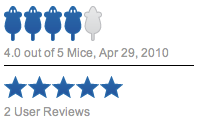
Keyboard Maestro, while not as powerful as QuicKeys, is an easy-to-use, capable, and affordable macro utility.

Sometimes you come across applications on the web which are really really truly remarkable and Keyboard Maestro is one of them. It is so blazingly awesome that it is really not easy to find words to describe this application.
It has even replaced my beloved LaunchBar history.
Keyboard Maestro is a general purpose macro utility. Think of it as a way to take any repetitious task, no matter what it is, and automate it. You can do so without being a programmer; in part due to itâs wonderful user interface, and in part due to itâs ability to record your actions on the fly.
At the very least, watch their video tutorial on creating a complex macro for saving clippings of text. That should get your computing juices flowing so you can estimate some of the other areas in which Keyboard Maestro will save you time.
I use Keyboard Maestro hundreds of times per day, if not thousands on a heavy computing use day. Eventually it just becomes part of you; you forget it is there, and muscle memory kicks in. You will slam a few keys around, things will happen, and your life will be easier.
To top it all off, technical support is in my top three of all time list.
Of the two applications, I would say Keyboard Maestro streamlines the process of macro creation a little better; plus unlike QuicKeys, Maestro does not have to be running in order to work.
youâre going to see a significant increase in your computer workflow once you get the hang of creating shortcuts and automations. You indeed become a maestro of your computerâplaying it rather than it playing you.
Die Möglichkeiten erscheinen sehr weitreichend – wobei es wohl wie so oft bei Programmen dieser Art etwas Einstiegszeit erfordern wird. Einerseits um die individuellen relevanten Funktionen zu erkennen und andererseits um diese dann mit passenden (und hirnkompatiblen) Macros abzubilden. Sei es nun inkl. Applescript, Shellscript, Growl-Support oder sonstigem PiPaPo.
Ist diese Hürde mal gemeistert wird man Keyboard Maestro wohl nicht mehr missen wollen. In meinem Fall greife ich bis dato nur auf einige Bereiche zurück – so wird die z.b die Clipboard-Funktion noch komplett ignoriert, der App-Window-Switcher kommt hingegen schon aktiv zum Einsatz.
Keyboard Maestro is a great utility for anyone that spends a lot of time working with text on their Mac. Whether you might be thinking of using it to help you quickly answer repetitive email, create blog posts or just to map certain mouse-based actions to a keyboard shortcut, it’s definitely worth checking out.
I’ve tried a number of similar utilities, but in terms of extendability and scope, Keyboard Maestro seems to take the cake. At $36, it’s not cheap for a utility, but considering the time it’ll help you save I think it’s a fair price. I’d recommend you try it out and see how well it could fit into your daily workflows.

People sometimes ask me whether I have any — for lack of a better term — secret weapon software to recommend. Utility apps like, say, LaunchBar or Quicksilver (on that one, I’ve been in the LaunchBar camp for a few years). The sort of apps Batman would keep in his utility belt if his utility belt were a metaphor-stretched Macintosh.
Keyboard Maestro is such an app. It’s several utilities in one: a powerful macro program, a clipboard history manager, a hot key manager, a keyboard switcher, and more. Version 4 is a great update, including a complete overhaul of my very favorite Keyboard Maestro feature, the clipboard history, and an all-new Automator-esque UI for the macro editor. Keyboard Maestro is copiously documented and comes from one of the longest-standing and most-respected indie Mac developers, Peter Lewis’s Stairways Software.
I recommend it highly.

It has an application switcher which can do much more than the standard command-Tab that you get with Mac OS X, and this is something I like, you can switch to an application and the hide all of the others, great for concentrating the mind.
If you do use your Mac for work, or even for pleasure, and you find yourself often doing repetitive jobs and processes, then this application can assist you to make those actions run with a few keyboard clicks and save you hours which you can spend far more productively.
Among other features, Keyboard Maestro lets you record macros — sequences of key presses, mouse clicks, etc. — and then invoke them with hotkey shortcuts. It’s also a terrific scripting utility. The change list for version 3.0 is long, but my favorite aspects are the re-organized user interface (simpler by far) and improved scripting support (including support for Unix shell scripts). Keyboard Maestro also now has its own built-in web server, which allows you to execute Keyboard Maestro macros on your Mac remotely.
The whole thing is exquisitely documented, and introductory examples abound.

I have to tell you [Keyboard Maestro] is handy. Keyboard Maestro puts speed at your fingertips. Tired of doing the same things over and over? Just create a new shortcut by choosing your own key combinations to do those things you do most. It even comes preinstalled with some already generated ones.

this is a fabulous timesaver
go and grab this little gem



The application switcher has
some very nice features
I was able to easily create some menu-activating
macros that save me time each day.
There's also a separate window switcher …
-- this alone makes it worth the asking price for me

an attractive package.
Keyboard Maestro’s versatility
and power set it apart from
those I have tried before.
Keyboard Maestro also sports
the application, window and
clipboard switchers
This is definitely a program that is great for the keyboard macro facility.
Keyboard Maestro is everything QuicKeys should have been but isn’t.

It has all the features I’ve been missing.
Of all the macro utilities I’ve used in the past 10 or 15 years,
this one is the easiest to use.
It is easier to use than QuicKeys, has more features and costs less than half as much.
Keyboard Maestro could very well change your computing life.

superbly easy
It’s a beautiful piece of software which, like the much more expensive Quickeys,
automates many repetitive tasks on your Macintosh.
a brilliant new interface and a powerful rewritten engine
A helpful demonstration is well worth a look for anyone who uses a Mac daily.

If all you do with your Mac is
send a few emails you probably
don't need this software. If
you do more than that though,
it’s a must have.
I find Keyboard Maestro powerful and easy to use.
Keyboard Maestro handles all the boring and repetitive tasks for me.
Keyboard Maestro makes my Mac OS X life easy.


execute multiple actions


automate almost anything
Keyboard Maestro is a fantastic application that I use everyday. It’s saved me loads of time and simplified many repetitive tasks. Nothing is quite so nice as setting up a boring task and then walk away. It’s easy enough to set up new macros that the barrier to entry before I set one up is quite low. I’ve used numerous scripting and automation technologies before, and I still use them when I want something more robust, but for keyboard remapping and quick macros with flow control, I haven’t found anything that comes close to Keyboard Maestro. Thanks!
Awesome. Works a treat. Thanks so much for the prompt answers and the amazing program. I’m collaborating on a book of traditional Irish tunes using Finale. It has it’s own scripting language, but it’s buggy and limited. I’ve automated most of my work using Keyboard Maestro and probably have saved hundreds of hours of work. If I take the time to incorporate the new flow control options, it’ll be even smoother.
I don’t think I have thanked you personally yet for the wonderful software you have created. It is astounding how many activities in my day are more efficient because of Keyboard Maestro 5. In a very short period since I began using what I call Keyboard Heaven, I have designed more than 50 macros I use during work in any given session on my computer. It’s no small tweaking you have allowed me to create using your creation. Keyboard Maestro invites users to design a whole new way of seeing enhanced productivity.
Your product and your support is most excellent, and I appreciate that!
I am one of those people who knew about Keyboard Maestro but was still blown away by the things I could do with it. I was so impressed that I bought another copy for a friend.
Keyboard Maestro has been a life saver (well a time saver) since I upgraded to Snow Leopard and found that Quicksilver no longer worked for launching my apps and web urls. Love it!
Keyboard Maestro is fantastic! I’ll admit, I picked it up as part of the productivity bundle, and never planned on using it. But when I did, it was a pleasure, and I had my Das Keyboard functioning as a standard Apple branded keyboard, function keys and all, in seconds!
Keyboard Maestro is one of my top three Mac Applications of all time after just five minutes of using it!
It feels like an endless paradise for a “Power-User” like me. You guys did some awesome work developing this Application.
After installing Keyboard Maestro I was sitting in front of my iMac and speaking to myself, saying “Oh my gosh, oh my gosh” because of all the new giving possibilities.
Wow! Thank you so much for this app!
I am stuck using Lotus Notes at my workplace but I have the consolation of using a MacBook Pro rather than a Windows machine. Still, even on a Mac, Lotus Notes is not, shall we say, famous for its beauty or usability or efficiency.
So I finally got to try Keyboard Maestro, and I bought it within 4 minutes, after setting up a really simple but wonderful macro that lets me quickly switch typeface color to blue in Lotus Notes (saving me three hundred thousand silly steps and wading through sub-menus). A slight exaggeration on the number of steps but not on the time to decide to buy.
I also smugly showed off to my colleagues how nice life has become.
So, thank you for creating this, and for making it so easy to use.
My main reason for buying Keyboard Maestro 4 was to reprogram the delete key so that its “normal” function is forward delete and Fn+Delete is backward delete. This is a Windows hangup I know! It was very easy to set up and I had it working in a remarkably short time because the software is so easy and intuitive to use.
In the learning process I realised that it could make a whole range of activities much easier, especially things like inserting styled text, so I am going to get a lot of use out of it.
Well done on your design and execution!
Fantastic program by the way - I recently had to use someone else’s machine, and the lack of Keyboard Maestro felt like a missing limb.
I just finished a little exercise with respect to automating a bit of data entry in FileMaker Pro Advanced. I had to add a little something by a few step sequence to 363 records.
I tried recording the actions with Automator, it ended up hanging.
I tried recording with Script Debugger, for some reason nothing got recorded.
I tried recording with AppleScript Editor, for some reason nothing got recorded.
Then I thought of trying Keyboard Maestro. After a few minutes, bingo! Works!
Next time I will try Keyboard Maestro first.
Thank you Sir!

Duration of ownership: 4 Years
Strengths: It is the first non-Apple item to be loaded to any and every new installation. It is a primary tool. Support occurs at light speed.
Weaknesses: A “weakness” is that for this old brain is that I doubt I have enough years left to me to learn all that can be done with this rapidly evolving tool (it’s up to 4.3 now, after 3 betas). The developer increases it capabilities faster than I can absorb them :D
Overall: Essential
Duration of ownership: 4 Years
Strengths: Power, flexibility, small footprint on the system, ease of use, low cost, steady development and frequent addition of new features. Also Stairways Software are very attentive to their users’ needs.
Weaknesses: I don’t see any.
Overall: Definitely one of my top 3 productivity tools! I use it (most of the times without even thinking about it) for tons of things, like running scripts and workflows, adding missing features or hotkeys to applications or fixing hotkeys that are unplayable on my AZERTY keyboards, automating multi-steps user actions, controlling my Macs remotely, working with multiple clipboards, typing text for me, etc, etc, etc. I highly recommend it.
Duration of ownership: 10 Months
Strengths: Anything (or almost everything) you want to do with keys without moving your mouse can be done using Keyboard Maestro.
Weaknesses: Yet to find one
Overall: Great product, created by great developer, a nice guy and has a great support. Can’t imagine my Mac without this app anymore. Any other app that comes even close to this on Mac in terms of “must have” is Quicksilver
Duration of ownership: 2 Months
Strengths: Fairly ease to use once you put together a few automations.
Weaknesses: None that I can tell.
Overall: I’m surprised that more people are not using these type of automation applications, which are in the long huge time savers when you’re working at your computer. Sure, put together macros can be a little tedious at times, but once it’s done, you own it. It will save you lots of time in the long run. I highly recommend this app or QuicKeys.
Duration of ownership: 18 Months
Strengths: Background app with separate macro editing app. Super easy to use, quick, powerful. Version 4 even better looking than version 3.
Weaknesses: Keeps being compared to QuicKeys X.
Overall: You can launch the macro editor from the menu bar, make your edits and quit, and the background app still runs. Even better than the venerable Key Xing, which the developer was forced to abandon.
I have been using Keyboard Maestro for quite some weeks now and I am very very happy with it!
When I first started using it, I really did not realize how utterly invaluable it would turn out to be!
I have about one hundred Mac apps and I consider yours to be my most valuable one.
The only thing more awesome than @keyboardmaestro is Peter’s customer service cc: @peternlewis
Thank You for your excellent program that I use every day. I do not want to live without it!
It is one of the most useful programs in the world! I can’t imagine how people can live without Insert Text macros and Clipboard History... Typing the same text over and over again, No Thanks!
I recommend it on my own website and hope more people will understand how much it helps out in the daily work on a computer...
It is at the top of my recommendations!
Keyboard Maestro is the single strongest productivity enhancer on Mac OS X. Keyboard Maestro allows us to program any repetitive task sequence in a matter of minutes. We’ve tried AppleScript and Automator but for sophisticated tasks they take hours of tinkering to get them to do just what we want. With Keyboard Maestro, if you can write the steps down, your macro is already done. Our programming team moving over from Windows was thrilled to be able to set some essential keyboard shortcuts to what they are used to to get off to a fast start on Mac.
Personally I use it to make keyboard shortcuts work the same across multiple applications and to make Apple Mail accept Eudora keyboard shortcuts. I also have hot keys for filing mail. The first software I bought when the office switched from Windows to Mac was a site license for Keyboard Maestro.
Thank you for creating such a wonderful product. The program says it has saved me about 42 minutes so far, but trust me...the frustration it has saved goes well beyond 42 minutes of time!
It’s really nice to know that there are people like you out there, creating really solid software that solves specific problems, at a value price. The wonderful customer service is an added bonus!
I’ve been using Keyboard Maestro since August of 2008, when Leopard broke Key Xing. Of course, Key Xing was just a launcher, and Keyboard Maestro is so much more. I keep finding new ways to use it, and at this point I’d be lost without it.
Great upgrade! Love the new interface...
Keyboard Maestro was already one of my favorite utilities, and now I like it even better.
Years ago I was a QuicKeys fan, but when I ran into problems with it after moving to OS X, I stopped using it. Recently, I wanted to start using macros again to speed up and automate my work flow, so I decided to take another look at macro creating programs. After comparing the features and ease of use of Keyboard Maestro 3.5 and QuicKeys 4.0.2, I felt that Keyboard Maestro won hands down. The interface of Keyboard Maestro is so intuitive, I was making complex macros right “out of the box.”
Keyboard Maestro is a powerful, polished piece of software at a great price. Plus, it’s fun to use! What more could you ask? Highly recommended.
Thanks for a great product! I use it all day, every day, and I'm working on expanding my use of it since it has always performed flawlessly and has saved me time every day.
How many products can you say that about!?
Thank you for making Keyboard Maestro. Quite frankly: without it, I would have probably switched back to Windows.
I just purchased the software, and I am very happy with it. I ran through the trial period and found myself finding countless ways to harness the power of smart keyboard shortcuts. It is the perfect product for my large data entry project! When my trial came to an end, I knew that I’d have to purchase it; I’d feel crippled without it!
Thanks for offering this software at a reasonable price and for giving users time to work through a trial without limiting its features.
Thanks to Keyboard Maestro, my worries about developing repetitive stress injuries in my wrist and elbow are gone. As a bonus, I’m getting my work done more quickly, too!
I am only writing to say THANK YOU, THANK YOU, THANK YOU!
>A few weeks ago, I saw mention of Keyboard Maestro in a short article about managing email through automated processes. I use Entourage but found it lacking in many keyboard shortcuts and customizations. I downloaded your program and purchased it 5 minutes later - able to easily create two Macros that I have been looking for since my switch in those 5 minutes. Since my purchase, I find new ways to use Keyboard Maestro every day. I love it so much I recommended it to a colleague and we now have a running competition to see who has “saved” the most time according to our Keyboard Maestro program.
Keyboard Maestro 3 saved the day by letting me disable some of the more critical control keys and then 3.2 let me create a “not Terminal” group to house my favorite launch macros.
Keyboard Maestro has become an indispensable utility. It is a brilliant bit of programming and an absolute bargain, to boot.
Keyboard Maestro is the first thing I put on each new Mac I buy. Can’t imagine my Mac life without it!
I love Keyboard Maestro. Combined with the SafeType keyboard it makes for an ergonomic dream.
I would like to compliment your on your software. Not only is it very intuitive and it was not necessary for me to read much of the manual, but you have many nice features that other much, much, much more expensive macro programs (I am referring to QuicKeys) do not have, or you have to do some pretty extensive programming to get close to the same thing.
Keyboard Maestro is simple, clean, and very straightforward.
